
Meet the interface
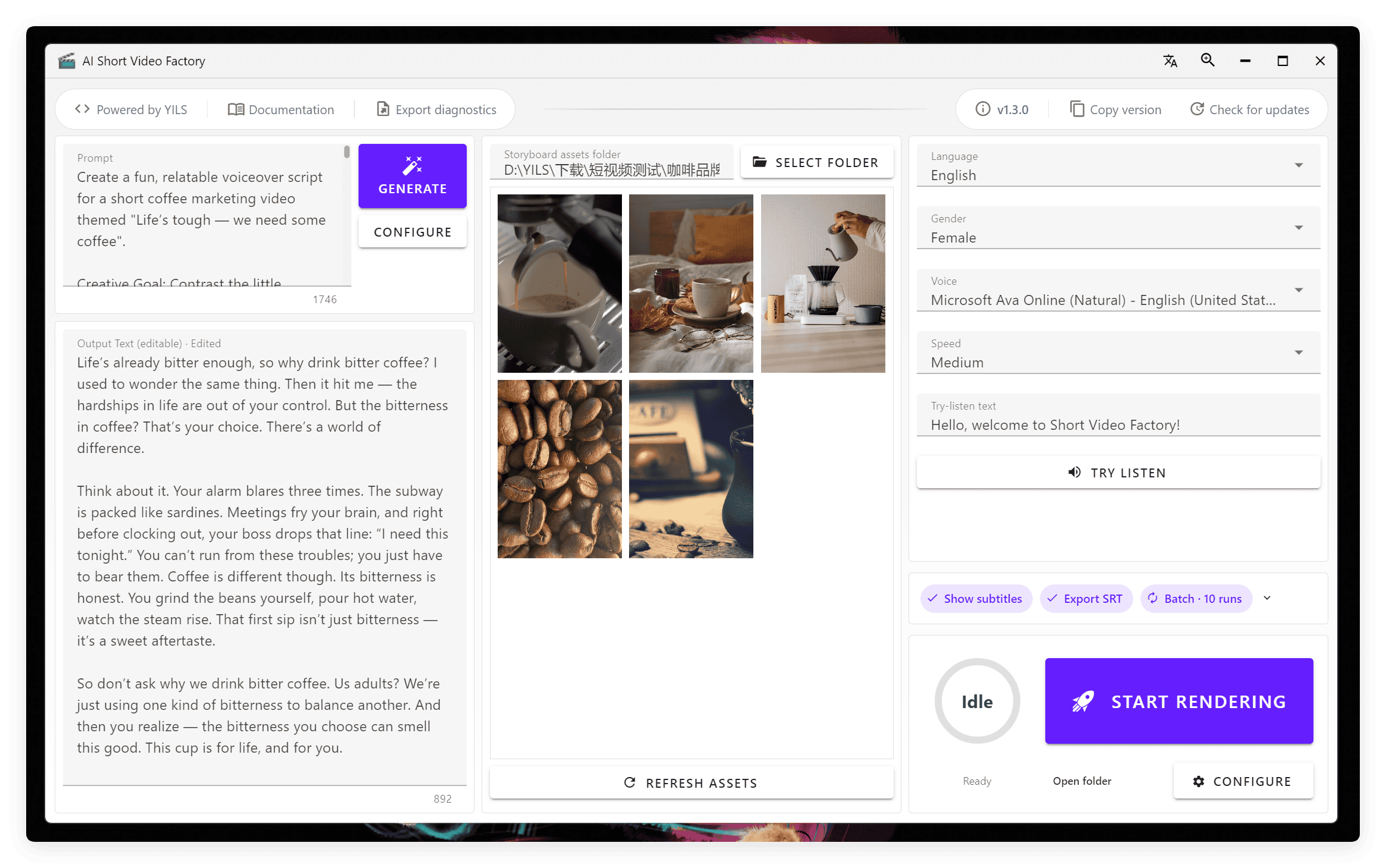
Seeing a lot of controls on your first launch? Don't worry: most of the workflow is available in a single, organized window.
Configure and call your LLM on the left, manage video clips in the middle, choose a text-to-speech voice at the upper right, and render videos at the lower right. This four-panel layout follows the entire creation workflow.
Progress indicators and automated interactions help you spend less time managing tasks and more time creating content.
About the screenshots
The overview above shows the updated English interface. Some step-by-step guides still use annotated screenshots of an earlier Chinese interface. Button labels and positions may differ by version; follow the controls in your installed app.
💬 Community and feedback
Have a question about using the app or a workflow to share? Visit the Community page to join our Chinese-language WeChat group. For bug reports and feature requests, use GitHub Issues.