
Import video clips
Prepare your footage
Import clips before generating a video. You can use your own footage or appropriately licensed stock footage. Choose clips that match your topic and make sure you have permission to use them.
- Format: Use
.mp4files. The documented workflow currently requires the lowercase.mp4extension. - Aspect ratio: Keep clips at the same aspect ratio for a consistent result.
- Duration: Aim for 3–15 seconds per clip. The editing workflow extracts up to 15 seconds from a clip.
- Variety: Use different shots and viewpoints. You can split longer footage into individual shots with an editor such as CapCut.
Import a folder
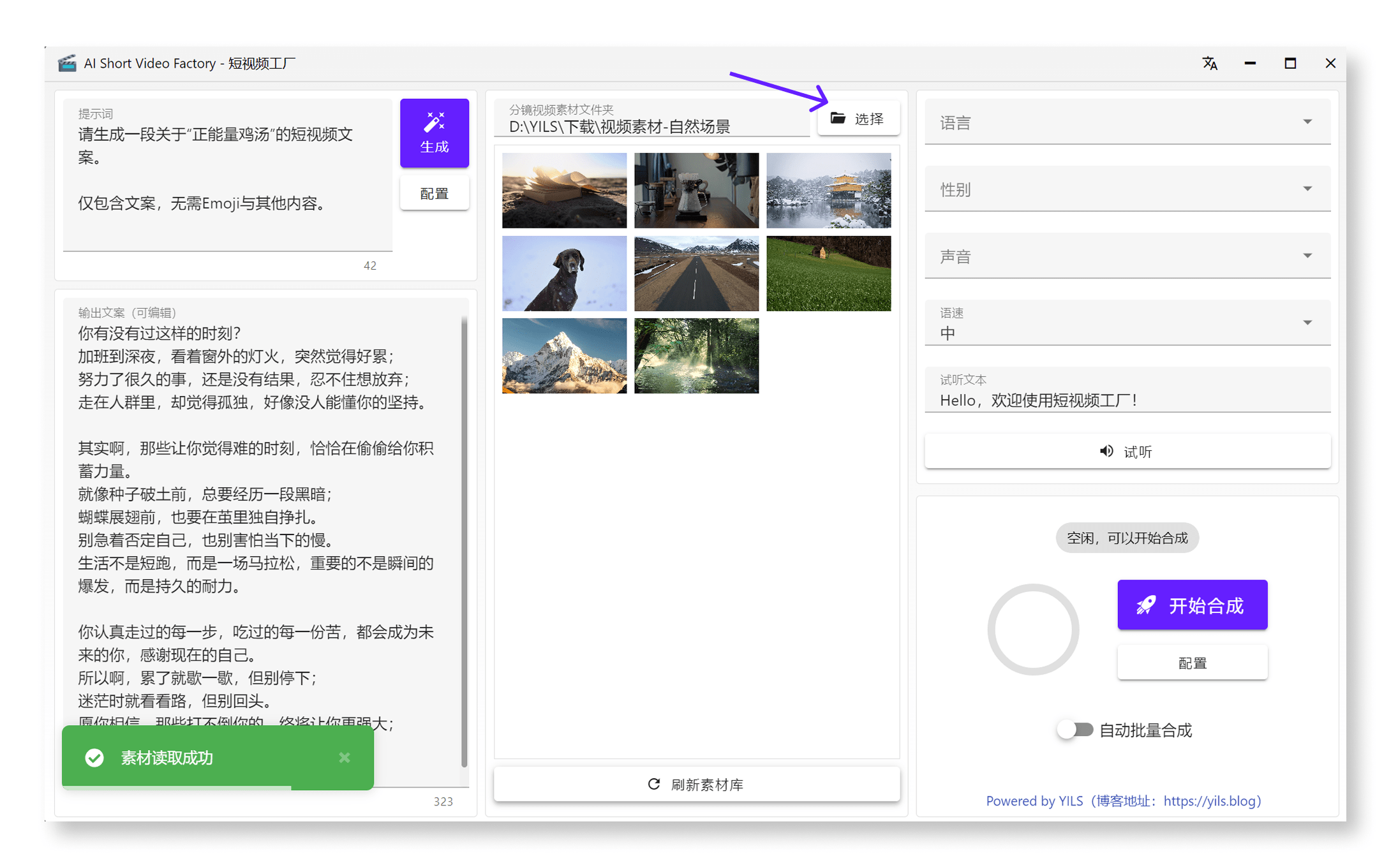
Click Select at the top of the middle panel. Choose your prepared clips folder, then confirm with Select Folder to import its videos.
Hover to preview
Hover over a clip to preview it and quickly identify the shot you need.
Refresh the list
If you add new files to the folder after importing it, click the refresh button at the bottom to reload the list.