
Configure text-to-speech
Overview
Text-to-speech (TTS) converts your script into narration. Adjust the language, gender, voice, and speaking rate to suit your content.
Choose a voice
Find the TTS panel in the upper-right area of the app.
For example, to use a natural Chinese female voice at a normal rate:
- Choose Chinese in the language menu.
- Choose Female in the gender menu.
- Choose Xiaoxiao as the voice.
- Choose the medium or normal speaking rate.
For English narration, choose English and an available English voice instead. Voice names and availability depend on the selected language.
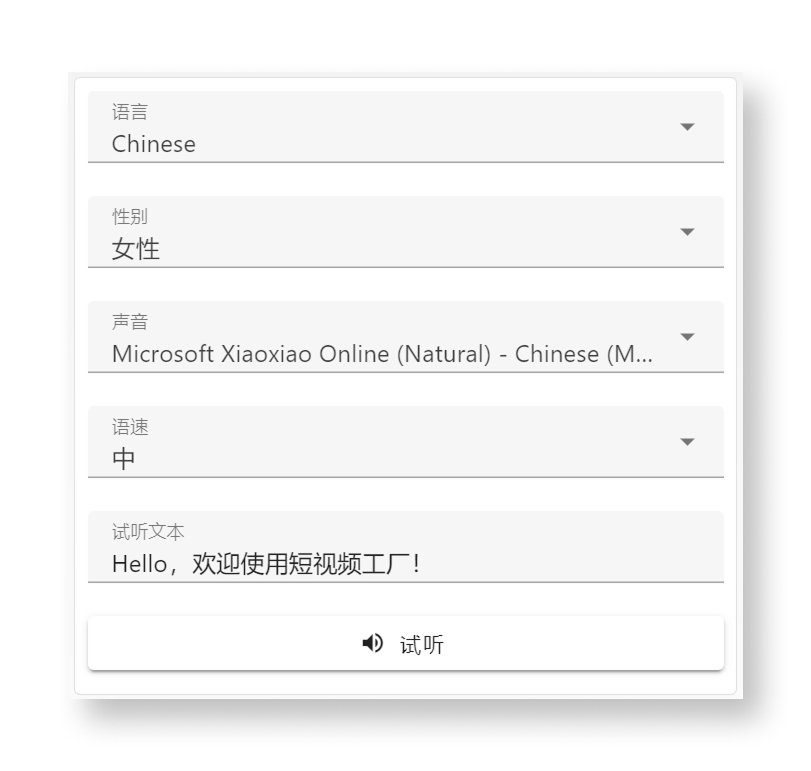
Preview the voice
Check your speakers and system volume, then click Preview. Wait for the sample to play.
If the voice is not suitable, adjust the settings and preview it again.